Transform
1.Open Class which you make part-1 and part-2
2.Open class header file and
//Transforms
UPROPERTY (EditAnywhere)
AActor* player;
Compile code
 |
| compile |
Now Property show on Details panel
 |
||
| Add player |
Set player
Now write some code for player when go to actor or object get location.
float dist = this->GetDistanceTo(player);
Now again go to header file declare property
private:
FVector mCurrentLocation;
FVector = location (X Y Z)
Now Complete the code
AAChreter::AAChreter()
{
// Set this actor to call Tick() every frame.
//You can turn this off to improve performance if you don’t need it.
//You can turn this off to improve performance if you don’t need it.
PrimaryActorTick.bCanEverTick = true;
Root = CreateDefaultSubobject <USceneComponent > (TEXT (“Root”));
RootComponent = Root;
Mesh = CreateDefaultSubobject <UStaticMeshComponent >(TEXT (“Mesh”));
Mesh -> AttachTo(Root);
}
// Called when the game starts or when spawned
void AAChreter::BeginPlay()
{
Super::BeginPlay();
mCurrentLocation = Mesh->GetRelativeTransform().GetLocation();
}
// Called every frame
void AAChreter::Tick(float DeltaTime)
{
Super::Tick(DeltaTime);
float dist = this->GetDistanceTo(player);
FVector distA = mCurrentLocation;
if (dist < 250){
distA.Z += 80;
}
Mesh->SetRelativeLocation(distA);
}
Now Compile!
Actor can be moveable if not compiler show error when you close the game.
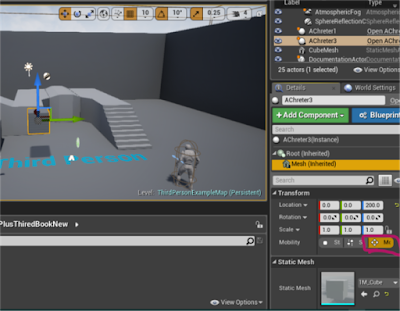

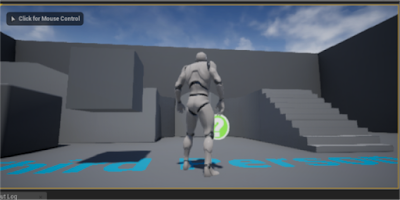

Change the Object location on flower

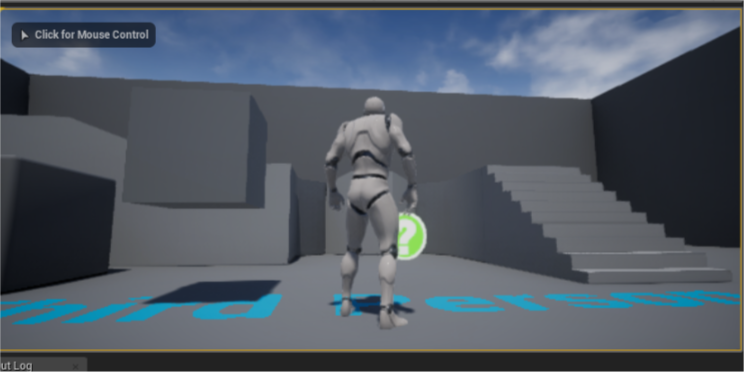
Run Game
Full Code On GitHub -> Transforms & Mesh
 L4's Blog