Create Static Mesh
First Open C++ Class in IDE
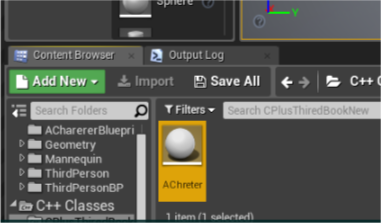 |
| Open C++ Class double click |
2.Open header file
Code :
#pragma once
#include “CoreMinimal.h”
#include “GameFramework/Actor.h”
#include “AChreter.generated.h”
UCLASS()
class CPLUSTHIREDBOOKNEW_API AAChreter : public AActor
{
GENERATED_BODY()
public:
// Sets default values for this actor’s properties
AAChreter();
protected:
// Called when the game starts or when spawned
virtual void BeginPlay() override;
public:
// Called every frame
virtual void Tick(float DeltaTime) override;
UPROPERTY(EditAnywhere)
USceneComponent * Root;
UPROPERTY(EditAnywhere)
UStaticMeshComponent * Mesh;
};
 |
| Header file |
Go To .cpp file
define in Set in AMyActor::AMyActor()
Code :
#include “Components/StaticMeshComponent.h”
// Fill out your copyright notice in the Description page of Project Settings.
#include “AChreter.h”
#include “Components/StaticMeshComponent.h”
// Sets default values
AAChreter::AAChreter()
{
// Set this actor to call Tick() every frame.
//You can turn this off to improve performance if you don’t need it.
//You can turn this off to improve performance if you don’t need it.
PrimaryActorTick.bCanEverTick = true;
Root = CreateDefaultSubobject <USceneComponent > (TEXT (“Root”));
RootComponent = Root;
Mesh = CreateDefaultSubobject <UStaticMeshComponent >(TEXT (“Mesh”));
Mesh -> AttachTo(Root);
}
// Called when the game starts or when spawned
void AAChreter::BeginPlay()
{
Super::BeginPlay();
}
// Called every frame
void AAChreter::Tick(float DeltaTime)
{
Super::Tick(DeltaTime);
}
 |
| .cpp file for define logic |
Compile!
Check Your Details panel set Mesh and Actor (drag and drop class file in level and select this) now details panel show this file details.

 L4's Blog